Returning a parcel? Isle of Man Post Office can help you return eligible Royal Mail parcels safely, easily, and at a location that suits you.
Parcel returns
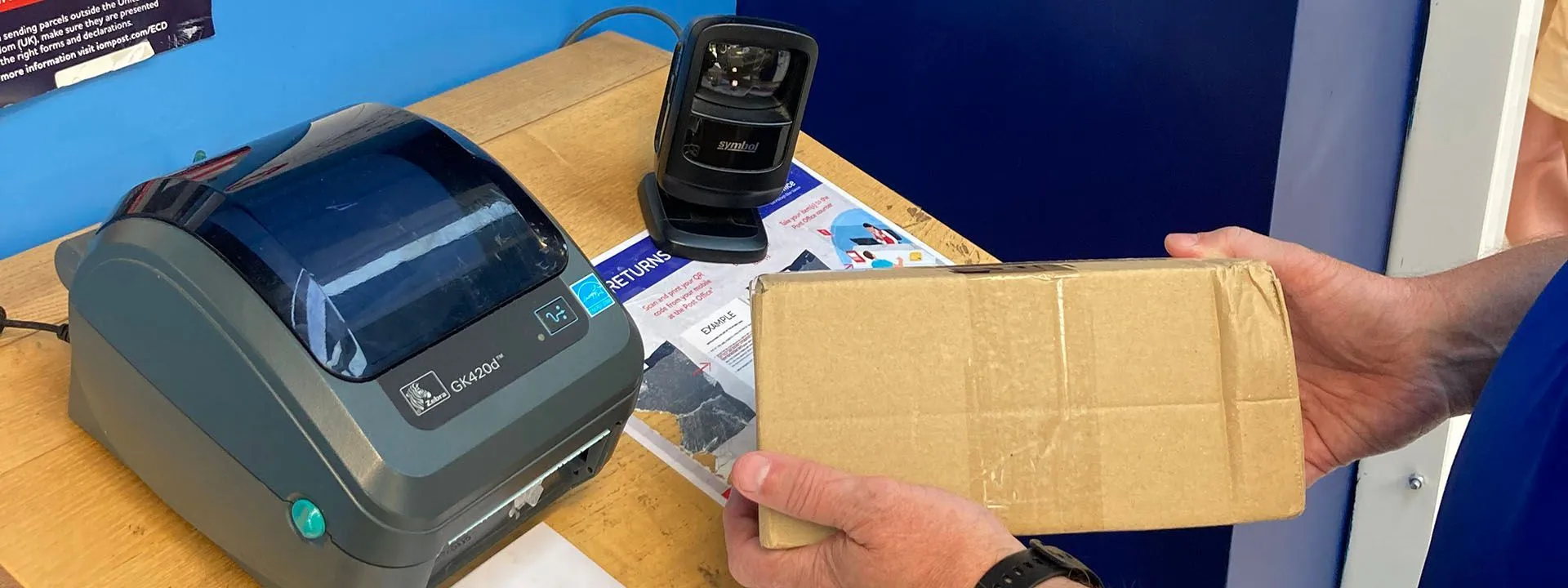
At selected IOMPO locations, you can print a Royal Mail return label from a QR code using a standalone QR code scanner or a Scan & Drop locker. Scan & Drop lockers offer a quick, convenient, self-service option, allowing you to print your label and drop off your return in one transaction.
Find a parcel returns location Track your return
Please note: These return options are currently available for eligible Royal Mail returns only. If your return is with another carrier, please follow your retailer’s instructions
Choose the most convenient way to return your parcel
Print a return label from a QR code
Use this option if your retailer has sent you a Royal Mail returns QR code and you want to hand your parcel over at a participating Post Office counter.
Bring the QR code on your phone, tablet, or printed confirmation. You can scan the code, print your return label, attach it to your parcel, and keep your receipt for proof of posting.
Use a Scan & Drop locker
Use this option if your parcel is an eligible Royal Mail return and fits within the locker size limit.
Scan & Drop lockers provide a quick, self-service way to return your parcel. You can:
- scan your Royal Mail returns QR code,
- print your return label,
- attach the label to your parcel, and
- place your parcel in the locker.
If your parcel already has a Royal Mail return label attached, you can also use a Scan & Drop locker as a drop-off point.
The maximum parcel size accepted by Scan & Drop lockers is 36cm x 26cm x 13cm.
Return at a Post Office counter
Use this option if your parcel is too large for a Scan & Drop locker, cannot be accepted by a locker, or you need counter support.
You can hand your parcel over at a participating Post Office counter and keep your receipt for proof of posting.
Before you visit
Please check:
- your return is with Royal Mail,
- you have the correct QR code or printed Royal Mail return label,
- your parcel is safely packed,
- your parcel is within any size or weight limits,
- your return deadline has not passed, and
- your item is safe to post.
If your return is with another carrier, such as Evri, DPD, Inpost, or a retailer’s own returns service, please follow the instructions provided by the retailer.
How to return your parcel
- Start your return on the retailer’s website or app.
- Bring your Royal Mail returns QR code or printed Royal Mail return label to a participating location.
- If you have a QR code, scan it to print your return label.
- Attach the label securely to your parcel.
- Hand your parcel over at the counter or place it in a Scan & Drop locker, where available.
- If using a counter, keep your receipt as proof of postage.
If you are using a QR code, make sure the full code is visible and your screen brightness is high enough for the scanner to read it.
After you return your parcel
After you drop off your return, your parcel will enter the returns network.
Tracking may not update straight away. Please allow time for your parcel to be collected, scanned, and processed.
If your return was arranged through a retailer, the retailer remains responsible for confirming when your return has been received and processed.
Need Help?
My QR code doesn't work
Please check that:
- it is a Royal Mail returns QR code,
- it is not a tracking QR code,
- the code has not expired,
- the full code is visible, and
- your screen brightness is high enough.
If the QR code still does not work, please contact the retailer.
My parcel doesn't fit in the Scan & Drop locker
Please do not force your parcel into the locker.
If your parcel is larger than 36cm x 26cm x 13cm, or it cannot be accepted by the locker, please use a participating Post Office counter.
My tracking hasn't updated
Tracking may take time to update after drop-off.
Please check your retailer’s guidance first. If you still need help, contact Customer Services with your tracking number or return reference.